

Every morning, I watch my colleague Sarah breeze through her inbox in about fifteen minutes. That’s not because she works fewer hours or has fewer messages it’s because she’s learned to work smarter, not harder, using tools that have fundamentally changed her relationship with email. Last quarter, she showed me how an AI-powered writing assistant helps her draft client responses in seconds instead of staring at a blank screen for twenty minutes. My own journey with these tools started reluctantly about three years ago when a deadline-heavy project forced me to experiment with an AI scheduling app. Now, I honestly can’t imagine going back to the way I worked before.
The truth is, AI productivity tools have moved far beyond the realm of science fiction and tech hype. They’re here, they’re accessible, and they’re quietly revolutionizing how professionals across industries handle their daily work. Whether you’re a freelancer juggling multiple clients, a manager overseeing a growing team, or an executive trying to stay ahead of endless meetings, these tools are designed to strip away the repetitive busywork that eats up your day.
What Exactly Are AI Productivity Tools?
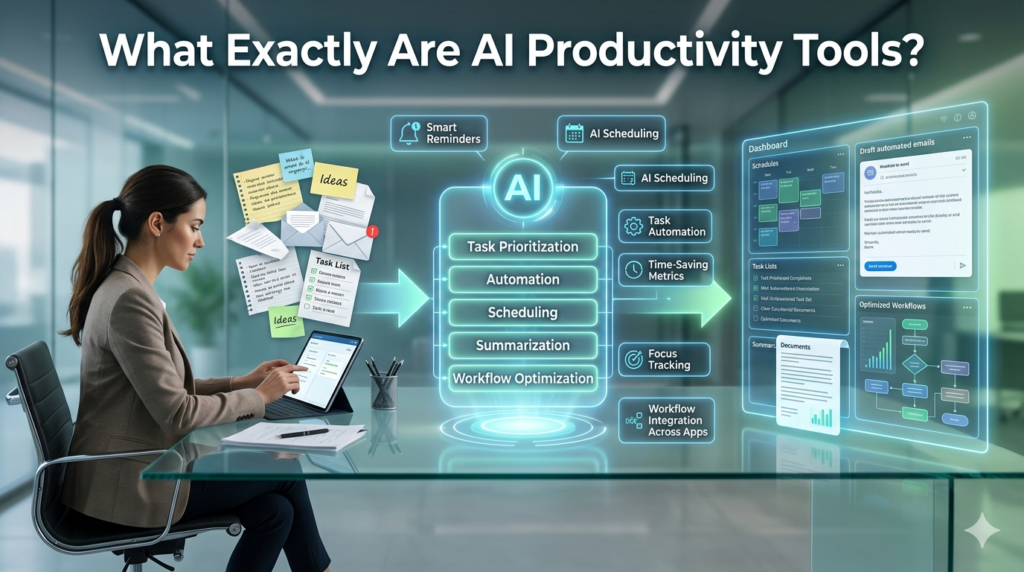
At their core, AI productivity tools are software applications that use artificial intelligence whether that’s natural language processing, machine learning, or predictive algorithms to automate, accelerate, or enhance tasks that would otherwise require significant manual effort. They’re not about replacing human judgment; they’re about amplifying it. Think about everything you do in a typical workday. You write emails, schedule meetings, organize files, analyze data, generate reports, manage projects, and communicate with team members.
Now imagine having an intelligent assistant that can handle the tedious parts of each of those tasks drafting the first version of a document, finding time slots that work for everyone, sorting through thousands of emails to surface the important ones, or spotting patterns in data that you’d otherwise miss. That’s what these tools offer. They’re not magic, and they don’t think for you but they dramatically reduce the cognitive load of routine work, freeing you to focus on the creative problem-solving, strategic thinking, and interpersonal relationships that actually move the needle.
The Landscape: Categories Worth Understanding
AI productivity tools have matured enough that they now span several distinct categories, each solving different problems.
Writing and content generation: tools have probably gotten the most attention. Applications like Grammarly, Copy.ai, and Jasper help with everything from grammar and tone refinement to generating initial drafts of marketing copy, blog posts, or business documents. The key is understanding what they do well getting something started, breaking through writer’s block, or polishing prose versus where human oversight remains essential.
Scheduling and calendar management: tools like Clockwise, Calendula’s AI features, or Reclaim have become indispensable for anyone drowning in meeting coordination. These tools analyze your preferences, find optimal meeting times across participants, and can even protect focus time blocks that would otherwise get swallowed by back-to-back calls.
Note-taking and knowledge management; has been transformed by tools like Otter.ai, Fireflies, and Mem. Imagine recording a meeting and having it automatically transcribed, summarized, and action items extracted then being able to search across all your past conversations in natural language. For teams that conduct lots of meetings, these tools can dramatically improve institutional memory.
Data analysis and research: tools like ChatGPT (when used for analytical tasks), Perplexity, or specialized analytics platforms can help you make sense of large amounts of information quickly. They won’t replace thorough market research or careful financial analysis, but they excel at synthesizing information, generating initial insights, or helping you explore a new topic rapidly.
Project management and automation: tools like Notion AI, Asana’s AI features, or specialized automation platforms can help streamline workflows, generate status updates, or automatically route tasks based on project developments.
The Real Benefits: Where They Actually Help
After using various AI productivity tools for several years both personally and with teams I’ve noticed some patterns in where they deliver genuine value. The most significant benefit is time reclamation. I tracked this informally for a month when I started using an AI scheduling tool: I saved roughly three to four hours per week just on email negotiation for meeting times. That adds up to nearly 200 hours annually what I’m able to reinvest in strategic work or, honestly, simply having more margin in my day.
Consistency and reduce fatigue is another real advantage. There’s only so much cognitive energy you can spend on deciding what tone to use in an email or how to structure meeting notes. AI tools can handle the more routine variants of these tasks when you’re tired or distracted, helping maintain quality without requiring peak mental energy.
Breaking paralysis might sound minor, but it’s genuinely valuable. Sometimes staring at a blank document is the biggest barrier to productivity. Having an AI tool generate a usable first draft even if you change 80% of it gets you moving when nothing else will.
The Limitations: What You Need to Understand
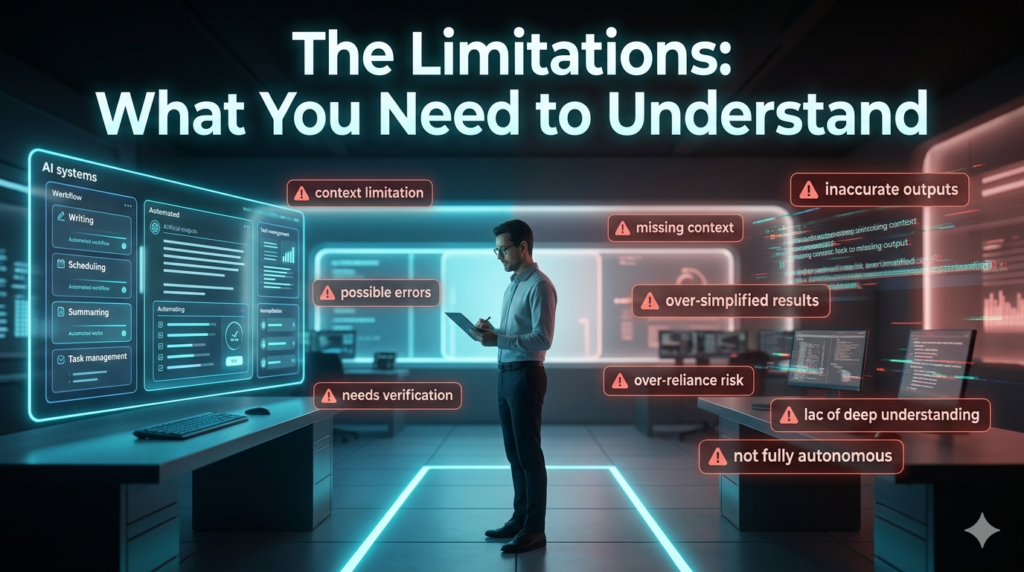
I’d be doing you a disservice if I didn’t acknowledge where these tools have real limitations.
Accuracy concerns are legitimate. AI tools can confidently present incorrect information, biased content, or逻辑 flawed arguments. I’ve caught several instances where an AI-generated summary missed key nuances from a meeting or a draft contained factual errors that would have embarrassed me if I’d sent it without review. Always verify.
Nuance and context remain challenging. AI tools often miss organizational politics, relationship dynamics, or industry-specific conventions that experienced humans navigate intuitively. A tool might draft a perfectly grammatical email that’s nevertheless tone-deaf for your specific situation.
Over-reliance risks are real. If you outsource too much thinking to AI tools, you may find your own analytical muscles atrophy. There’s a difference between using a calculator for arithmetic and never learning math and the same principle applies to many cognitive tasks.
Privacy and data security considerations matter. Many AI tools process your data through external servers, which raises legitimate concerns for sensitive business information, client data, or proprietary research.
Choosing the Right Tools: A Practical Framework
Not every tool makes sense for every person or organization. Here’s what has worked for me when evaluating new AI productivity tools:
Start with pain points, not technology. What tasks consume disproportionate time or cause recurring frustration? That’s where a tool will deliver the most obvious value.
Consider integration with your existing workflow. A tool that requires significant new habits or doesn’t connect with the software you already use will likely get abandoned.
Evaluate the learning curve honestly. Some tools require substantial setup and experimentation before they deliver value. Make sure you have or can create the time to learn them properly.
Think about cost versus value. Some tools have meaningful price tags calculate whether the time savings justify the expense for your specific situation.
Start small and specific. Rather than trying to transform your entire workflow at once, pick one repetitive task that drains you and find a tool that addresses just that.
The Future: Where This Is All Heading
The trajectory is clear AI productivity tools will become more capable, more integrated, and more essential. We’re already seeing moves toward more personalized AI assistants that learn your preferences and working style. Multimodal tools that combine writing, analysis, and visual creation are emerging. Better integration with existing software ecosystems is reducing the friction of adoption.
But the fundamentals won’t change: these tools work best when they amplify human judgment rather than replace it. The professionals who thrive will be those who learn to collaborate effectively with AI leveraging its strengths while contributing the irreplaceable human elements of creativity, ethical reasoning, and relational intelligence.
Conclusion
AI productivity tools aren’t a replacement for hard work, good judgment, or genuine expertise. They’re something more interesting: an amplification layer that can help you accomplish more of what matters while spending less time on what doesn’t. The key is approaching them thoughtfully understanding what they do well, recognizing where they need oversight, and integrating them deliberately into your workflow.
My colleague Sarah still works hard. She just doesn’t waste that work on tasks that don’t need her specific human capabilities. And honestly, that’s the point.
FAQs
Q: Are AI productivity tools expensive?
A: Many basic AI productivity tools offer free tiers with limited functionality. Paid plans typically range from $10 to $50 per month, though enterprise versions can be more expensive. The cost is often justified by the time savings if your time has significant value.
Q: Do I need technical skills to use AI productivity tools?
A: Not typically. Most modern AI tools are designed for mainstream users and don’t require programming knowledge. They feature intuitive interfaces and work much like standard software, though some have more learning curves than others.
Q: Will AI tools replace my job?
A: Probably not directly but they will change how many jobs are performed. Professionals who learn to collaborate effectively with AI tools often become more valuable than those who don’t. The goal is augmentation, not replacement.
Q: Are AI productivity tools secure for business use?
A: It depends on the specific tool and provider. Look for tools with clear data privacy policies, encryption standards, and options for enterprise data handling. For sensitive information, review terms of service carefully and consider tools designed for business or enterprise use.
Q: What’s the best way to get started with AI productivity tools?
A: Identify one specific, repetitive task that frustrates you or consumes too much time. Research tools that address that particular problem. Try free versions first, and commit to using the tool consistently for at least two to three weeks before evaluating whether it’s helpful.
